




Quick Start Guide
Welcome to Sudun CDN. This guide will walk you through the basic setup of global content acceleration in 10 minutes.
Preparation
Before you start, make sure you have:
- Valid Sudun account
- Administrative permissions for domain name DNS settings
Basic understanding of DNS records (CNAME, A records)
- Source server information (IP address or domain name)
Step 1: Create the first distribution configuration
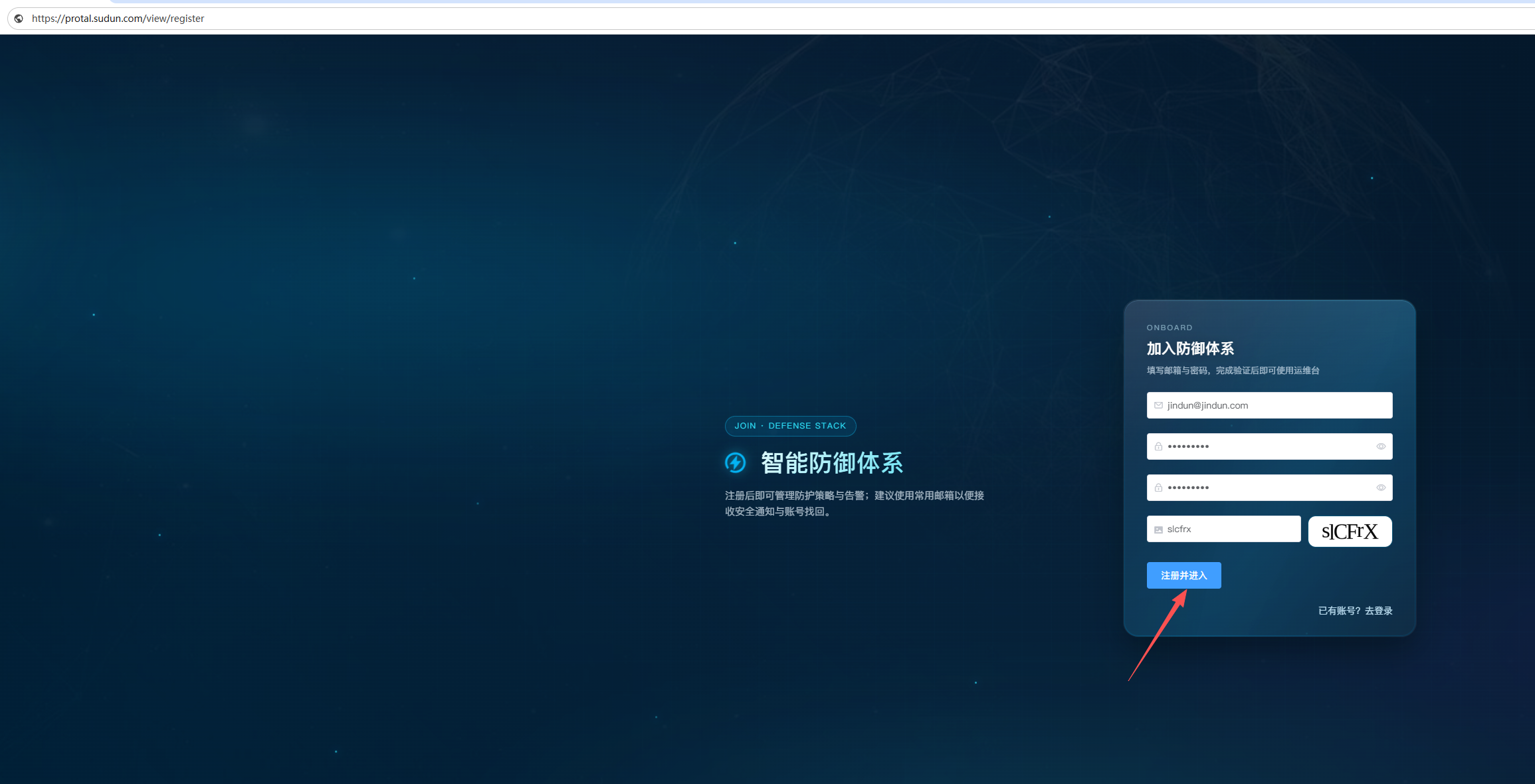
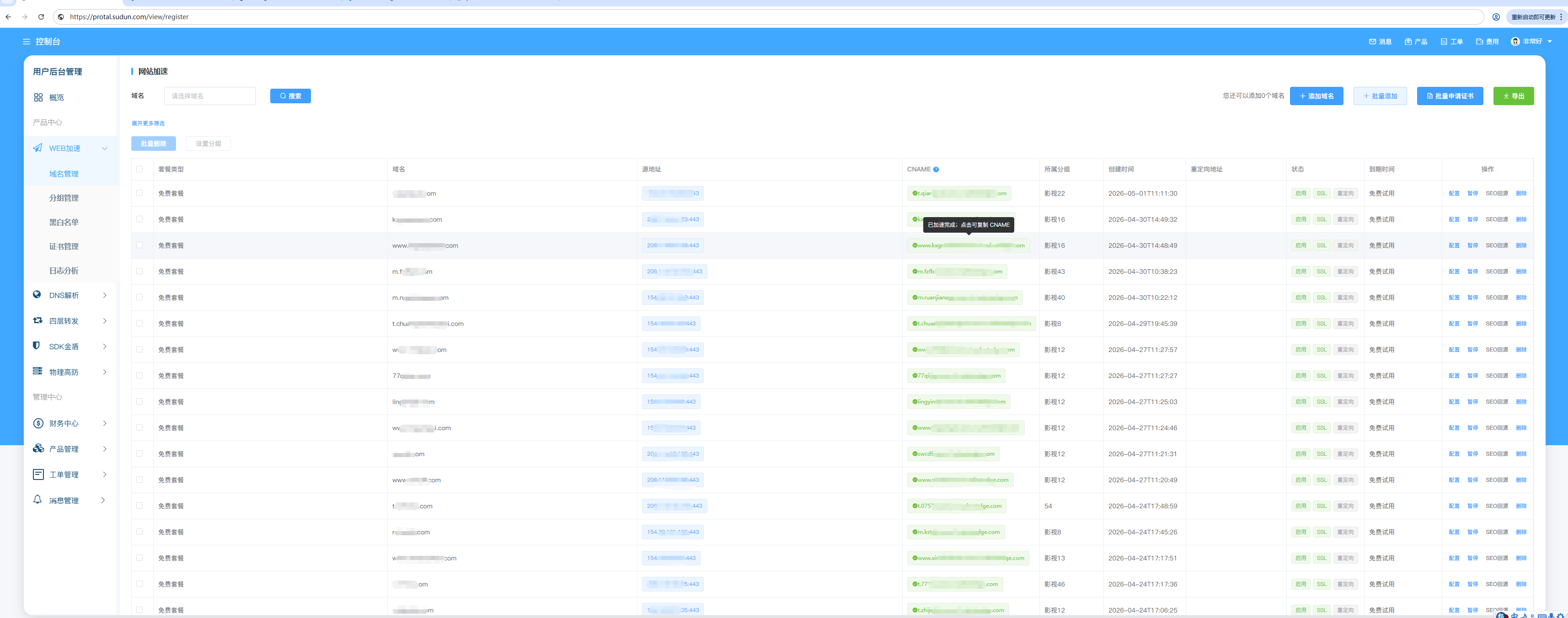
1. Register the Sudun console:https://dash.sudun.com/view/register
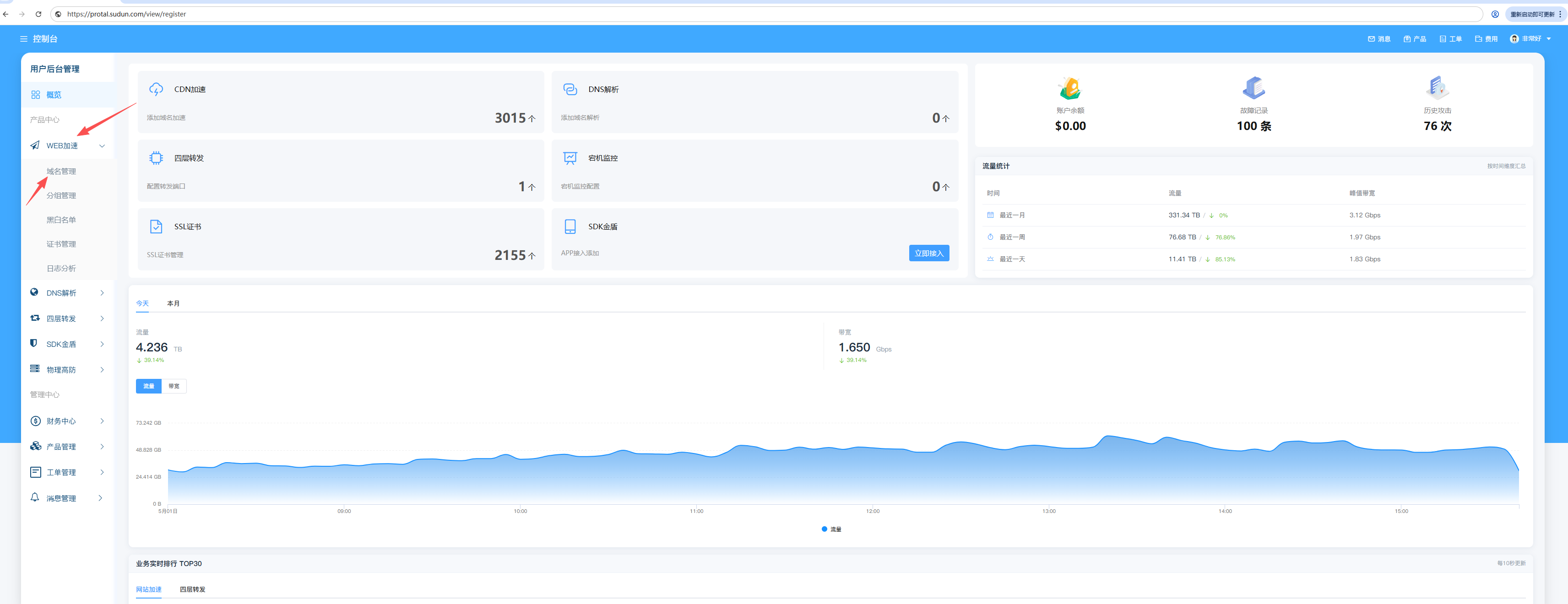
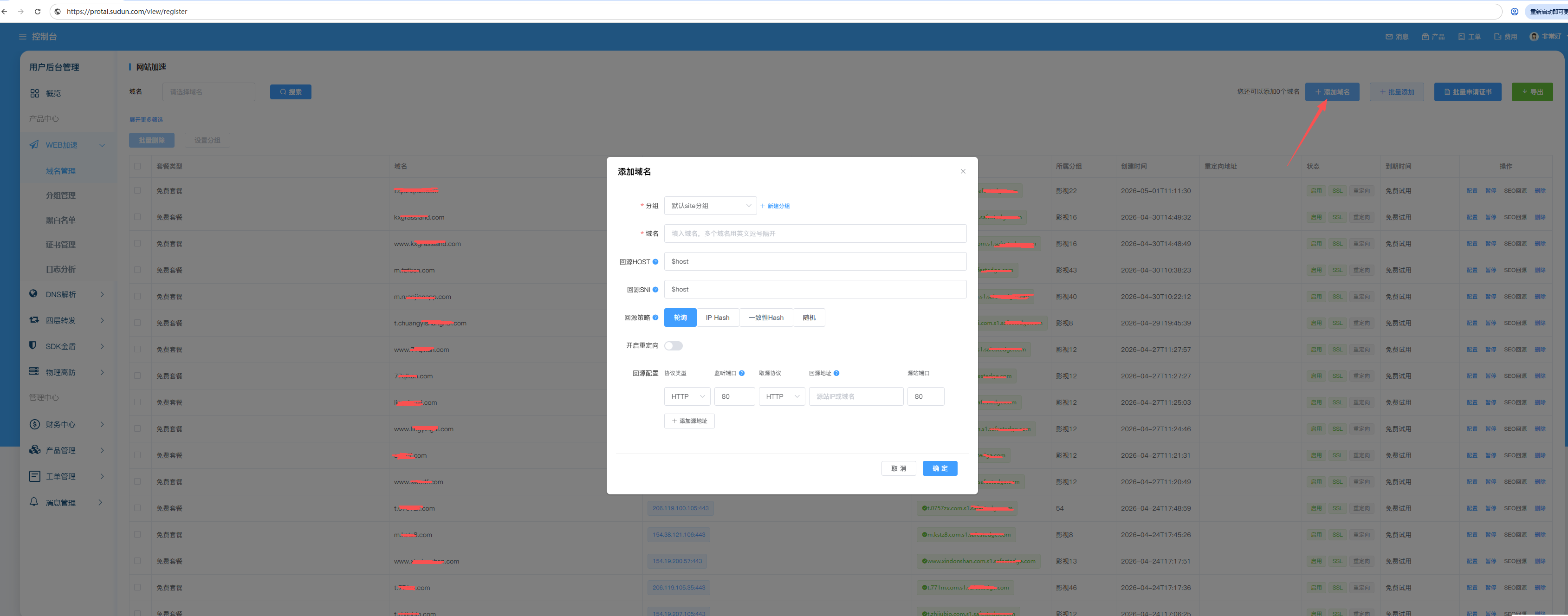
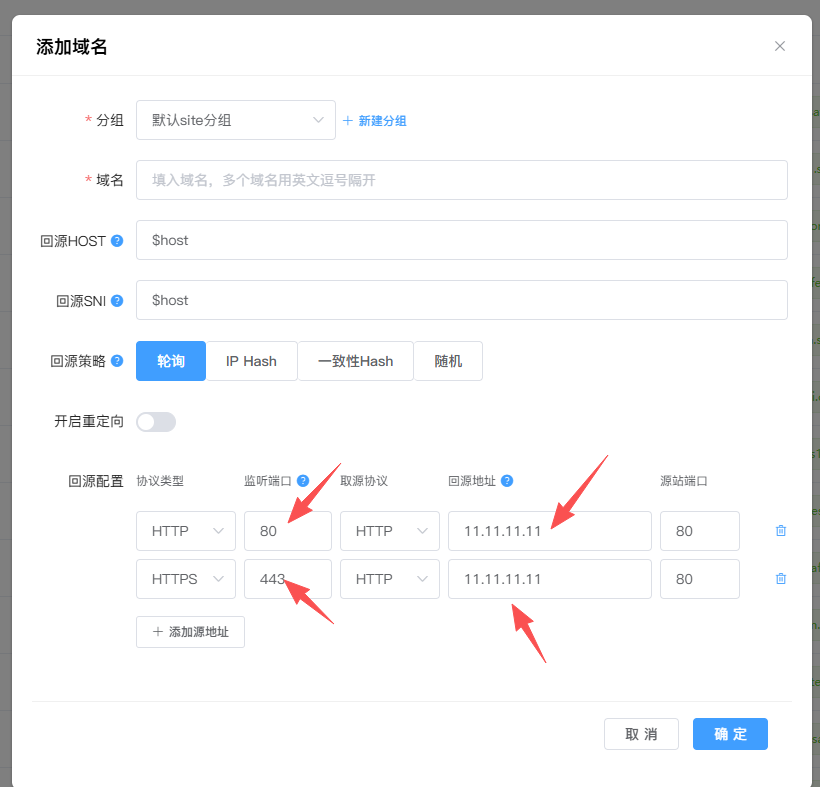
2. Enter ** WEB to accelerate ** > ** domain name management ** > ** Add domain name **
3. Create domain name grouping: You can customize the grouping to facilitate domain name management
##Step 2: Configure the source station settings
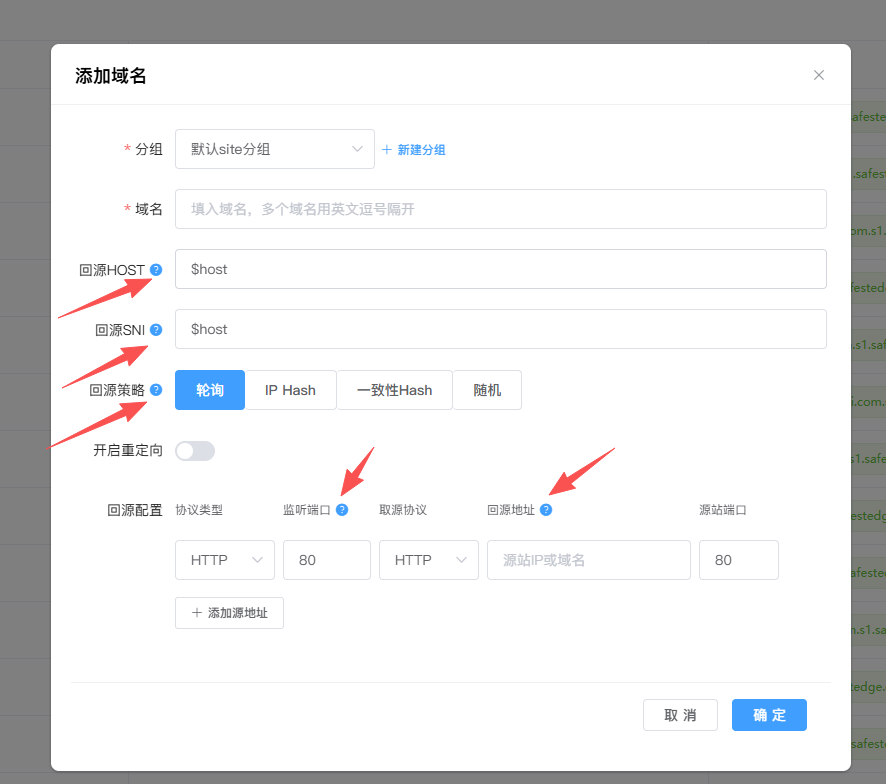
1. In the CDN distribution configuration, configure the source station address of the listening port and the return source protocol
2. It is recommended to use HTTPS back to the source site to enhance security
3. Carefully read the relevant FAQ in the list of added domain names
Step 3: Update DNS records
1. After the addition is completed, a CNAME record will be automatically generated:
2. Log in to your domain registrar admin panel
- Add a CNAME record:
- Hostname:
你在SuDun所添加的主机值,如WWW或@ - Destination address:
填写生成的CNAME记录,TTL:600
Wait for DNS to take effect (usually 5-30 minutes).
Step 4: Verify the configuration
1. Observe the color change of the CNAME record generated by the SuDun system
2. If prompted, it has been accelerated to complete, it means that the configuration is currently complete.
3. If the acceleration fails, it is not resolved to CNAME, which means it is not resolved.
Step 5: Relevant screenshot guidelines