




--- Operation manual ---
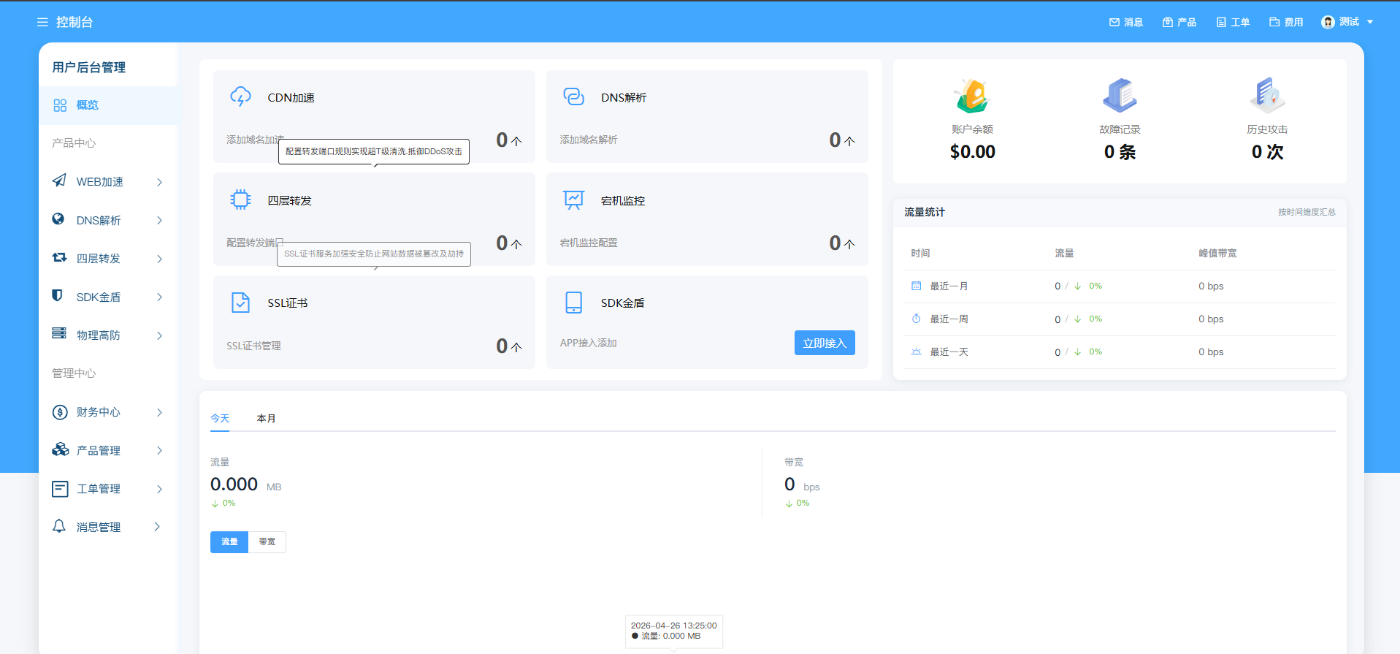
Background: Viewable, real-time business scheduling, traffic statistics, fault records, historical attacks. Automatic reminders, no need to troubleshoot problems everywhere
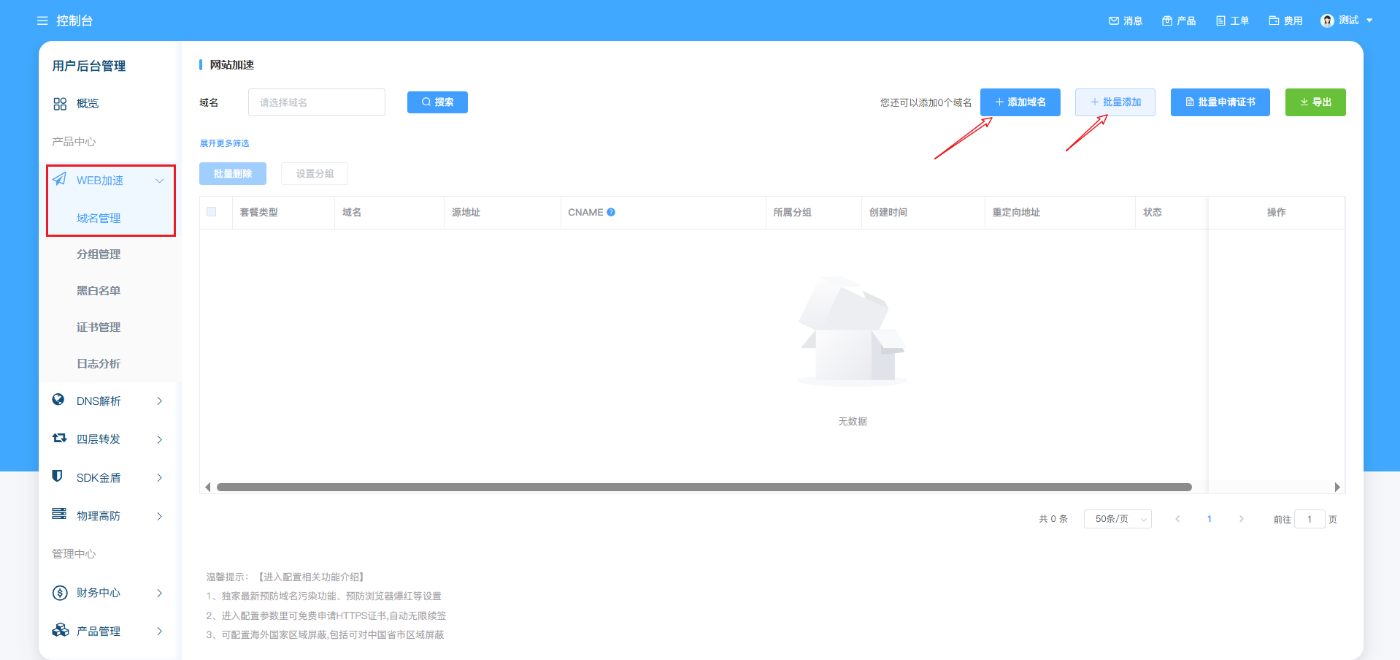
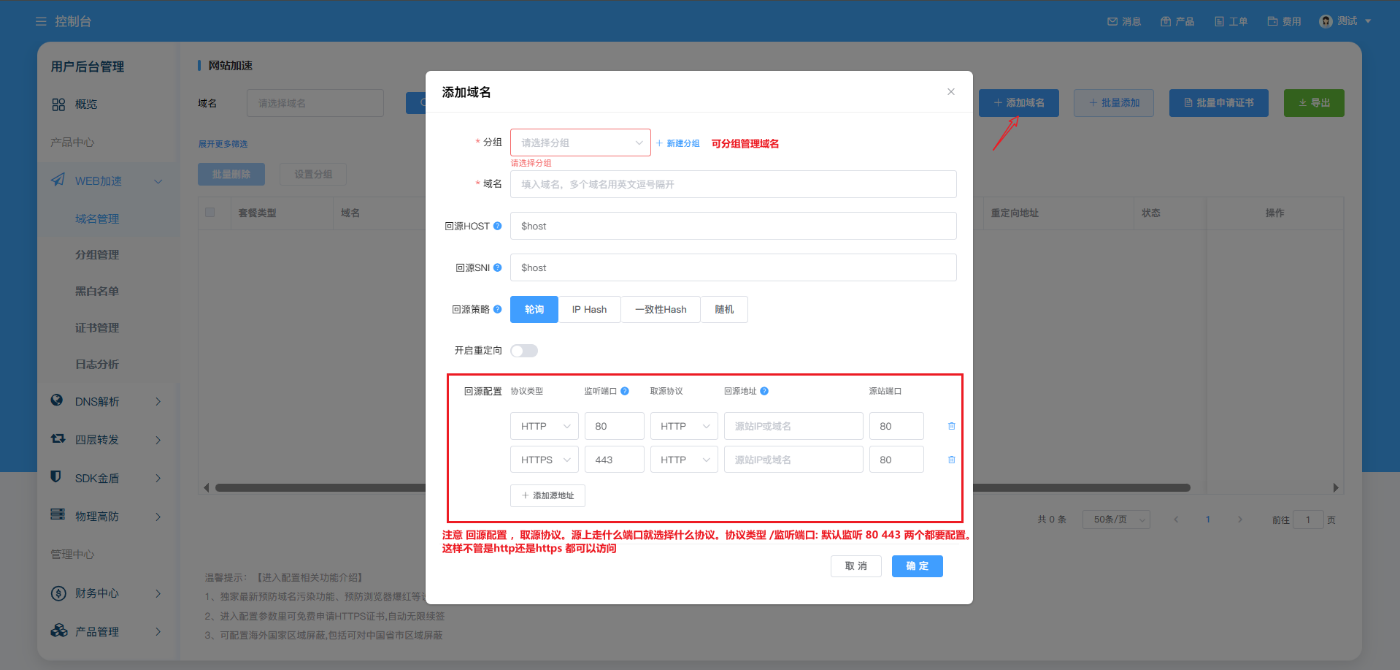
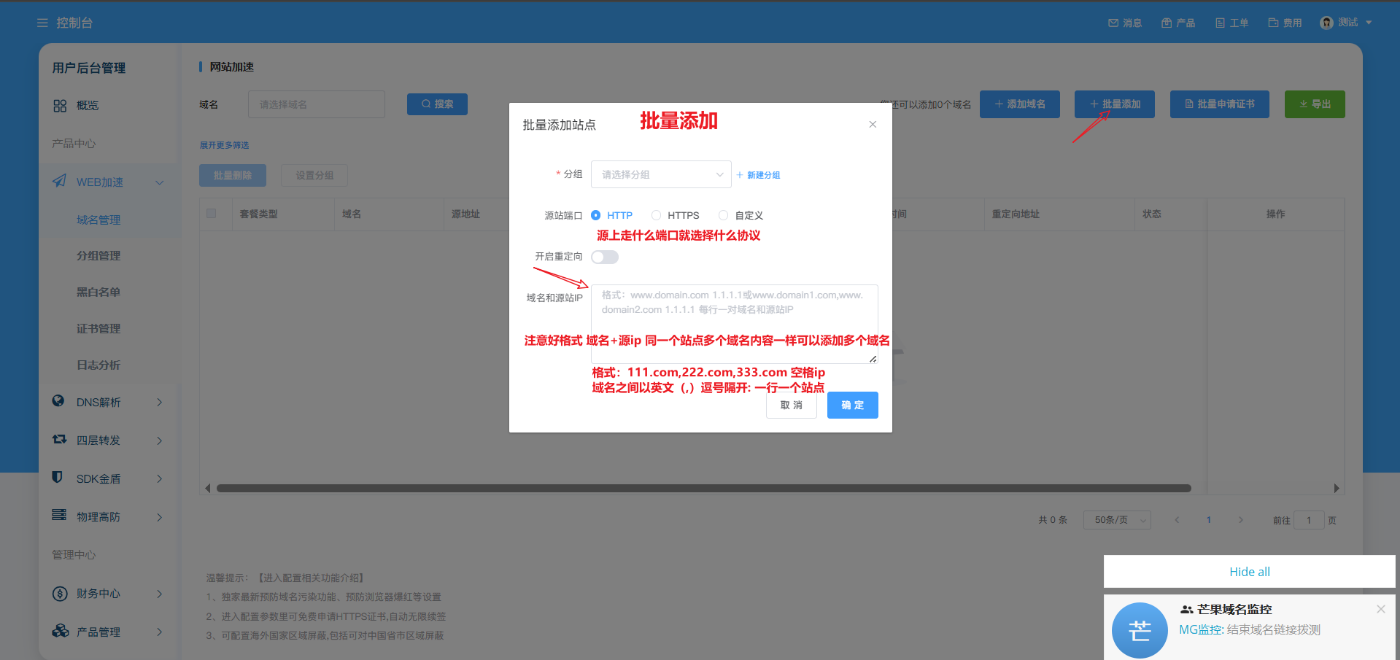
Product Center Web Acceleration and Batch Operation: Click Web Acceleration, Domain Name Management - Add Domain Name (Single Domain Name Add) Batch Add (Batch Add Method) There is text at each step
It is recommended to add in batches. Pay attention to the format. You can add thousands of domain names with one click.
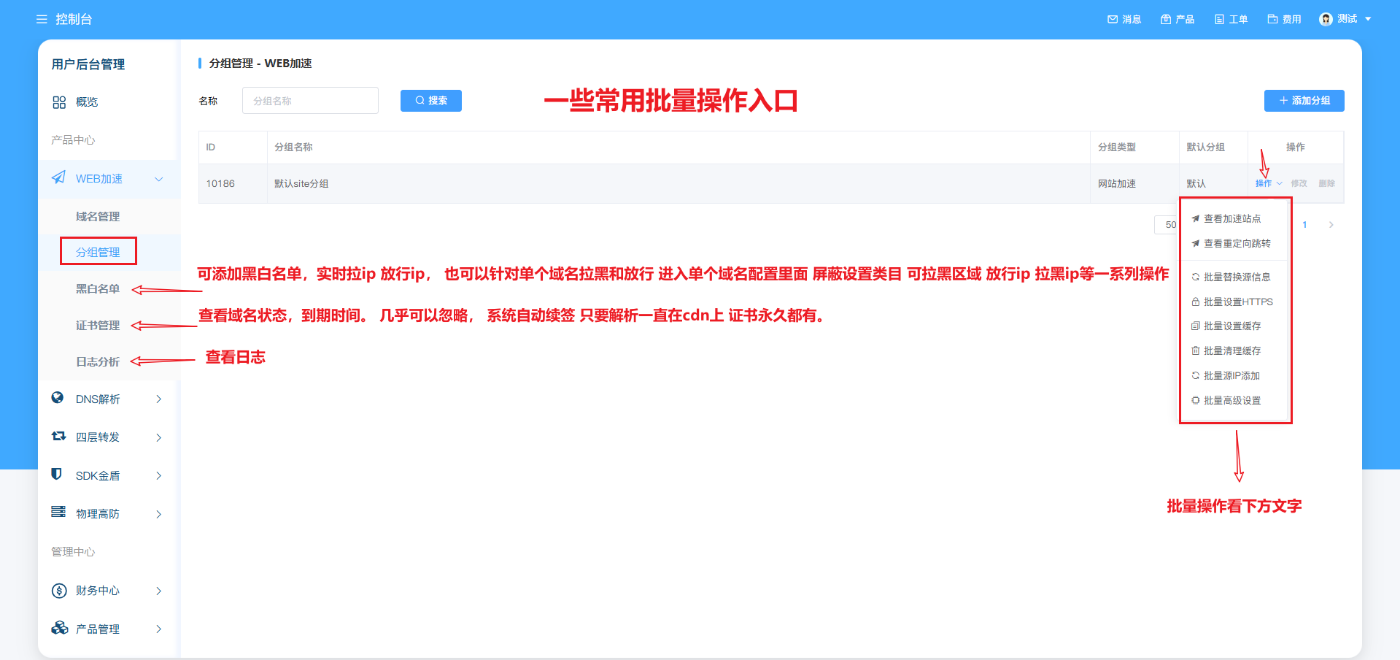
Group management: According to group management, all domain name configurations under the current group can be modified in batches (which group is selected will modify that group, and other groups will not be affected)
1: Batch replacement source ip: You can replace the old source in batches with one click, and operate according to the text prompt.
2: Batch setting https: You can apply for a certificate with one click, and force ssl to return to the source certificate application (optional type, multi-domain certificate and single-domain certificate issuance method). It is not recommended to apply for a certificate here.
Operation, directly tick the domain name, and apply for certificates in batches on the upper right. Convenient and fast
3: Batch setting cache: Batch setting cache can be customized with one click according to group management
4: Batch Cache Cleanup: Click Batch Cache Cleanup to clean up all domain name caches in the current group, without the need to clean up one domain name by one.
5: Batch source IP addition: The number of multiple source IPs can be added to the current packet domain name to achieve load balance. When adding, pay attention to the source protocol. Fill in any protocol on the source!
Protocol types 80 443 should be added. The default is to listen to 80 and 443. This can be operated in two steps, and the source protocol will never change.
6: Batch advanced settings: You can enter to view, and you can set if you need it. Most of them require high-version packages to support.
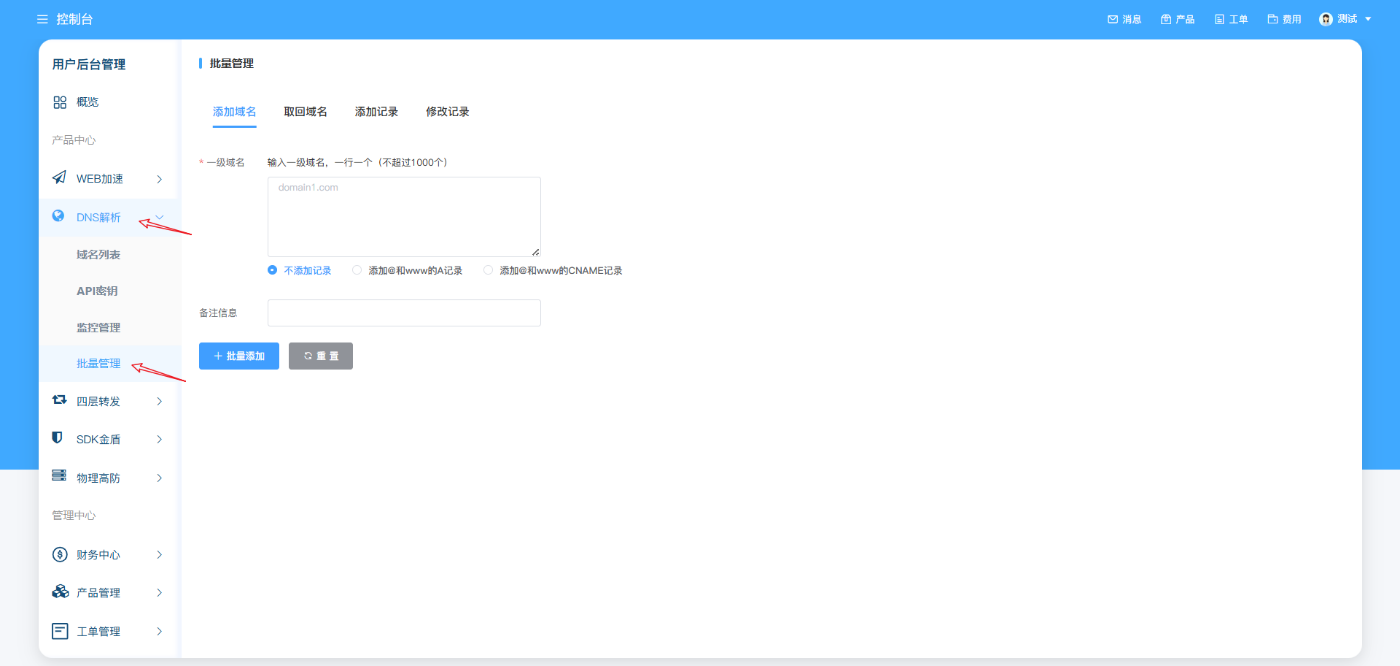
Built-in dns: cdn has built-in dns, which is effective in seconds, anti-blocking, anti-complaint, and is provided for free in the end. You can add domain names in batches and record values in batches, which is convenient and fast.
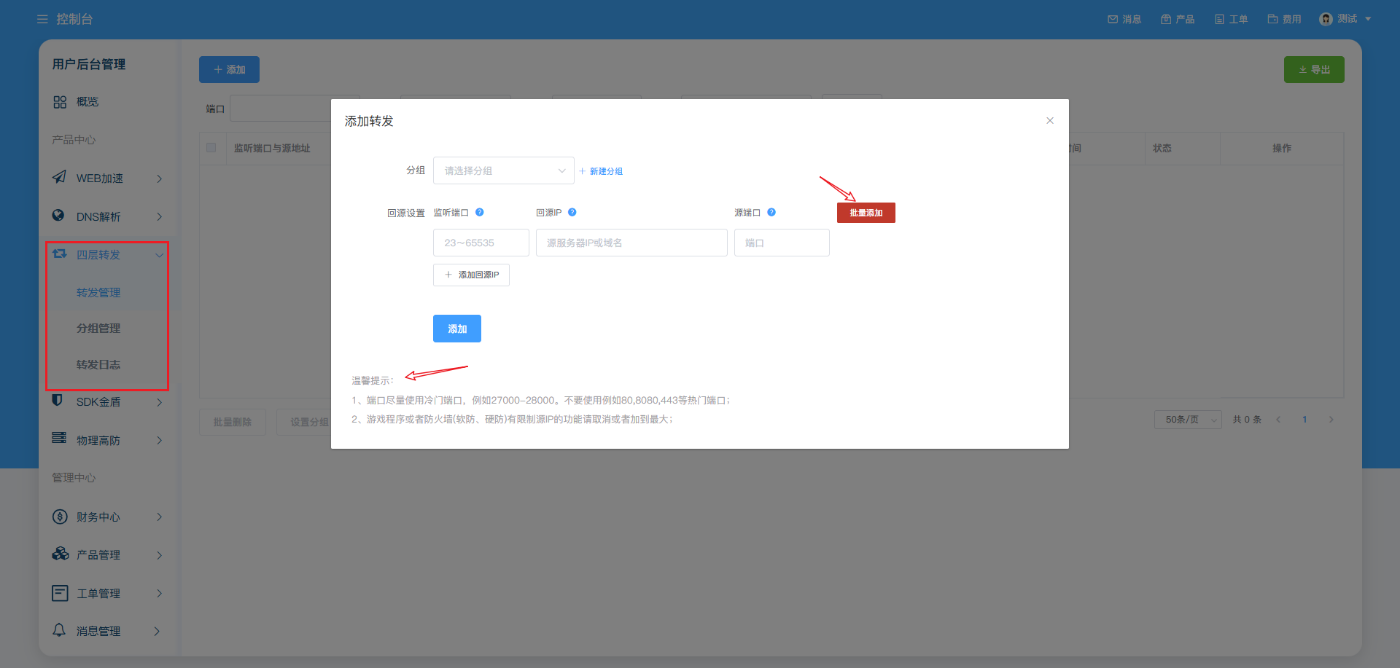
Layer 4 forwarding: Just follow the prompt operation.
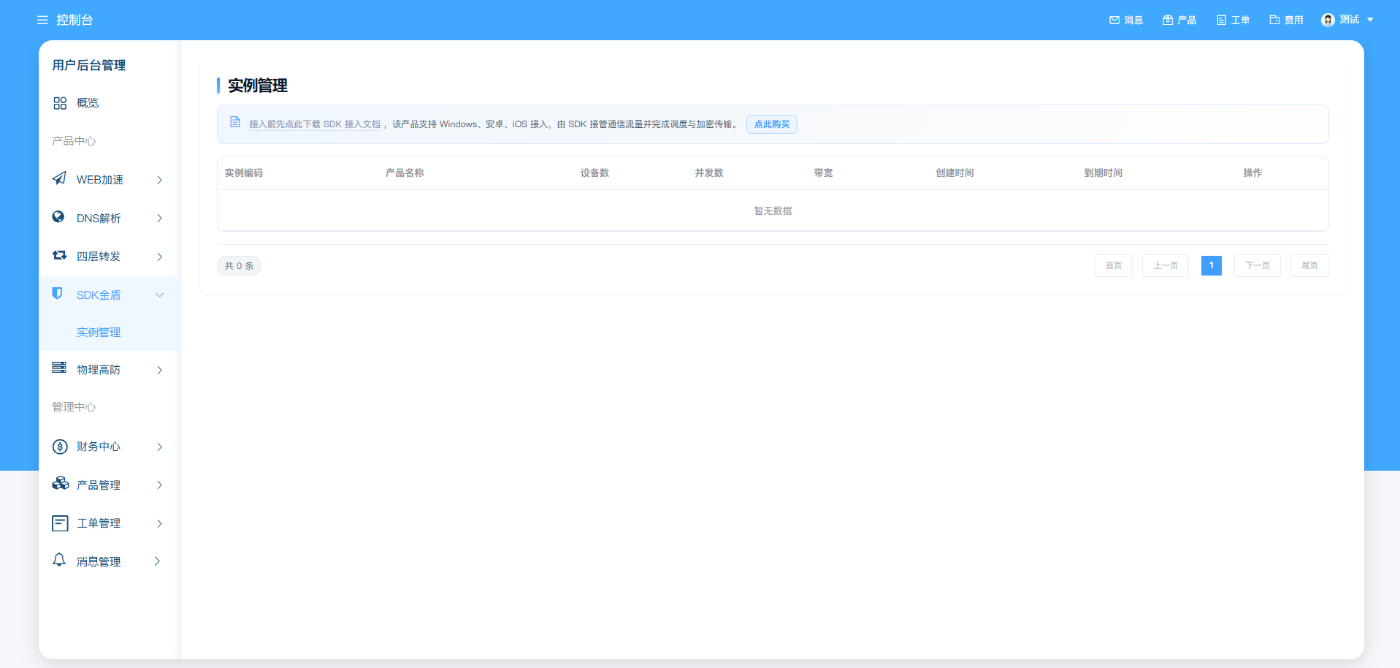
SDK game shield: instance management, purchase instance: Download the access document before connecting, and modify the source code access according to the document. The operation can be completed by yourself. New registered users have free trial instances, which can be accessed and tested by themselves.