





Prevent browser explosion settings
Step 1: Login to the console
- Log in to the Sudun console:https://dash.sudun.com/view/login
- enter WEB加速 > 域名管理 >配置
- Click the Pollution Prevention Shield button below Advanced Settings
- Encryption strength Choose a normal or hard level value
- Click Save Configuration to complete the pollution prevention configuration.
Tip: Do not tick No click, this will reduce the chance of the browser encryption process. The domain name will be polluted and blocked and the browser will become popular. Please read the FAQ notes for details.
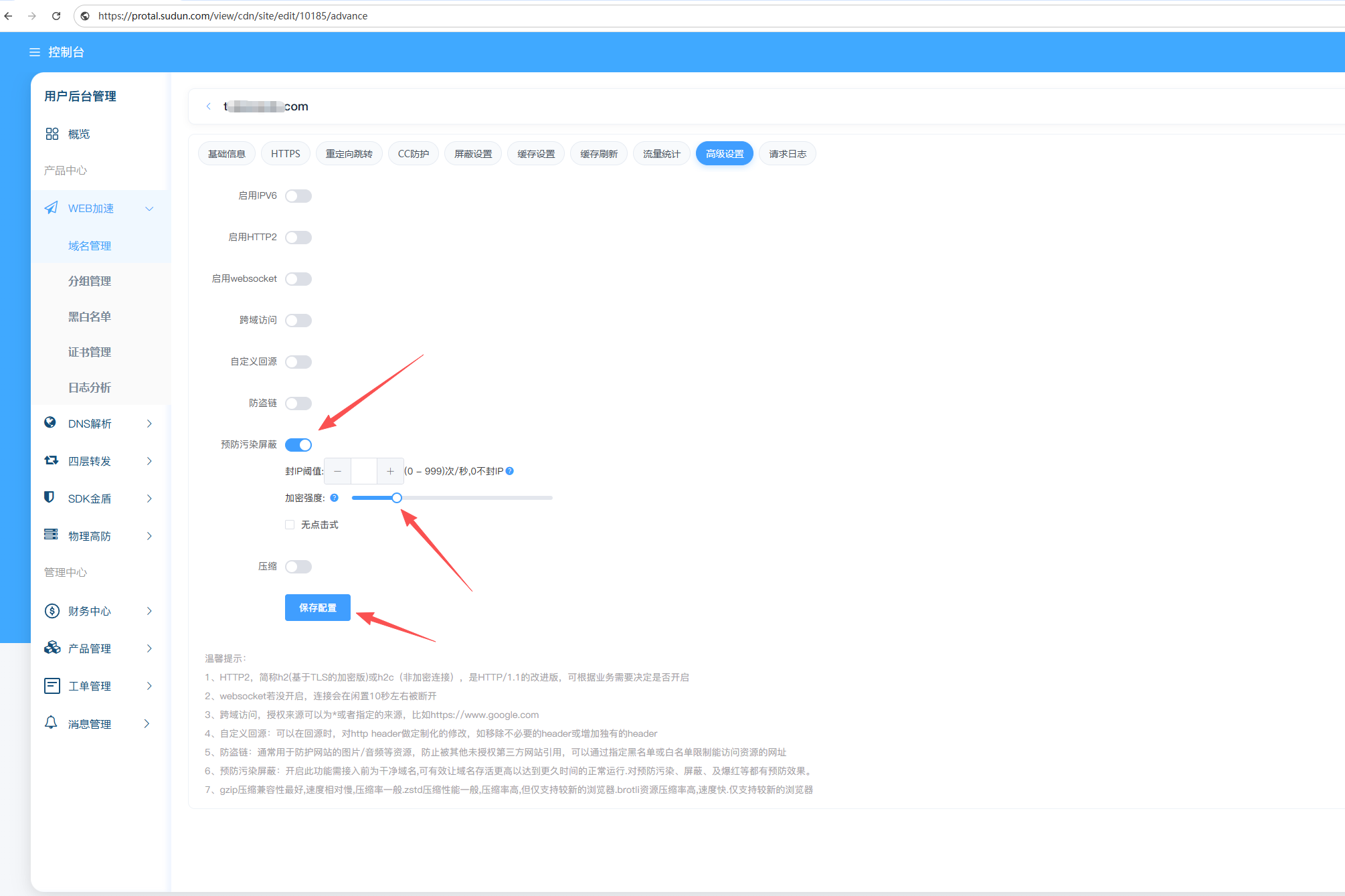
Preventive browser protection settings: To turn on this function, you need to connect to a clean domain name before connecting, which can effectively make the domain name survive higher and achieve longer normal operation. It has a preventive effect on preventing pollution, blocking, and red explosion.